
October 2025
Kafka Insights, data quality observability, and Partner Zone chargeback
Insights provides operational recommendations. Data quality observability shows rule violations across all topics. Chargeback tracks Partner Zone usage and revenue.
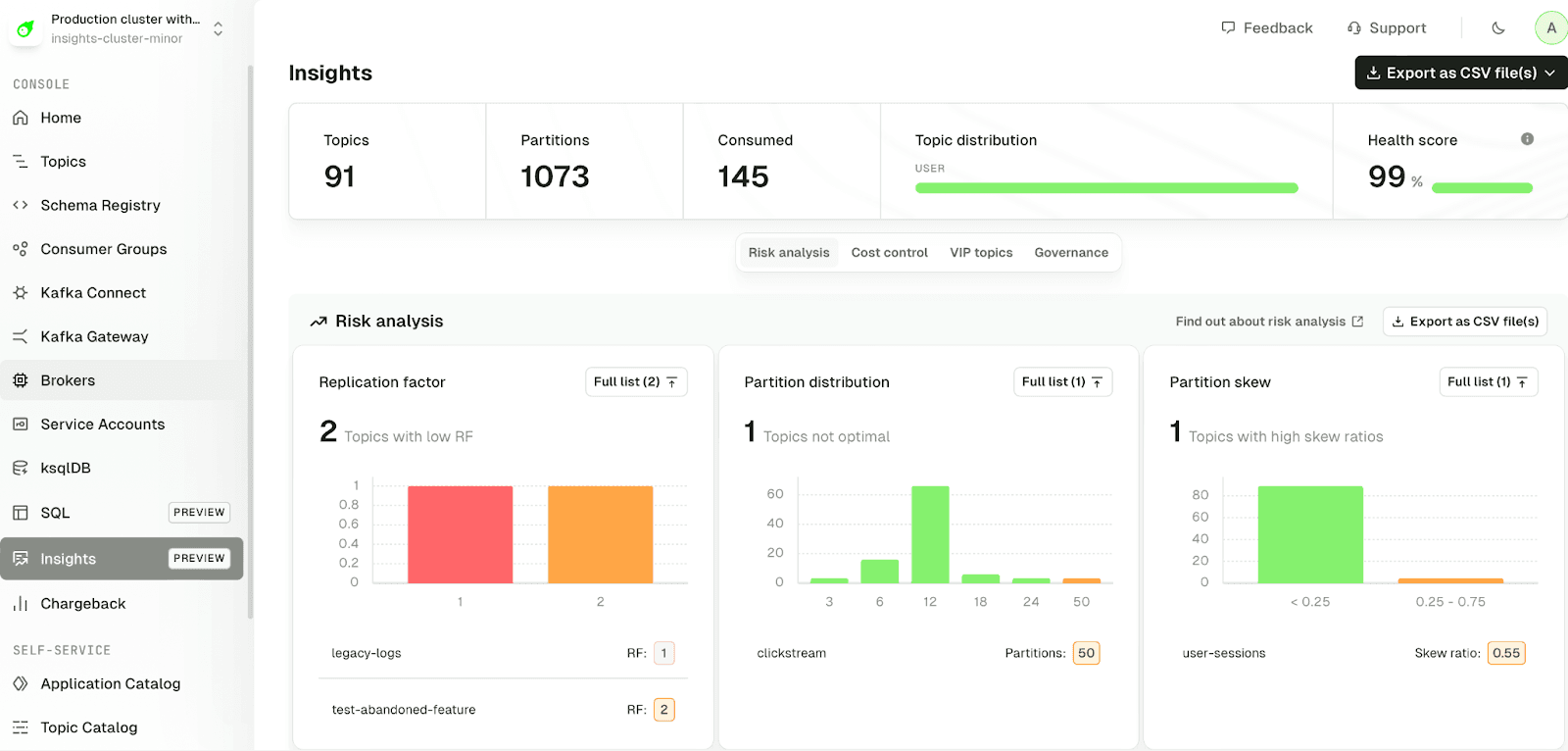
Get operational recommendations from Kafka Insights
Insights monitors your Kafka environment and surfaces issues that need attention: misconfigured topics, wasted resources, and business-critical datasets. Works out of the box with your existing clusters.
What Insights covers:
- Risk analysis: Identify misconfigured topics before they cause outages or data loss. Learn more →
- Cost control: Find underutilized or overprovisioned resources. Learn more →
- VIP topics: Protect business-critical topics with targeted alerting. Learn more →
- Governance: Track schema adoption and self-service usage. Learn more →
Future releases will add per-topic optimization, data quality rule coverage, and encryption recommendations.
Use Confluent Cloud Identity Pools
Conduktor integrates with Confluent Cloud Identity Pools. View role bindings, ACLs, and authentication methods (OIDC or mTLS) for each service account.
Monitor data quality violations across all topics
Data quality observability evaluates all topics in your Kafka environment. Developers see which quality issues occur, how frequently, and whether they represent real problems.
Fix at the source: Identify common issues and fix them in your code, schemas, or pipelines. Many teams resolve quality problems without enforcement.
Decide on enforcement: For business-critical topics, understand whether enforcement would block real problems or create overhead.
Learn about data quality policies →
Track Partner Zone usage and revenue
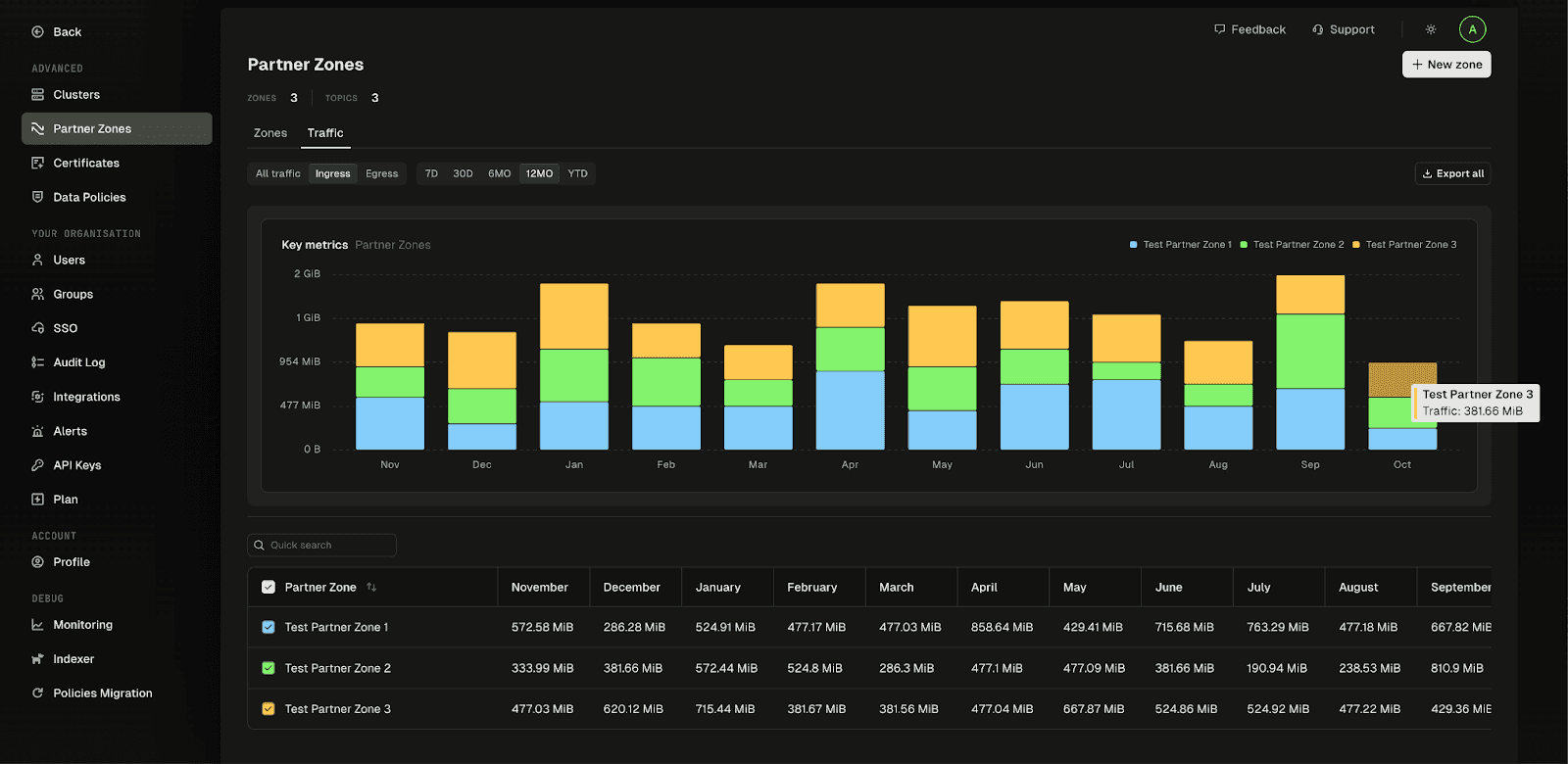
Organizations using Exchange to share data externally can now track usage, costs, and revenue per Partner Zone.
Chargeback provides near-real-time visibility into partner traffic. Teams can visualize consumption patterns, get rollups of shared data, and calculate ROI for individual Partner Zones. Learn about Partner Zones →
For a full list of changes, read the complete release notes.
Enjoying the new features? Share your experience on G2